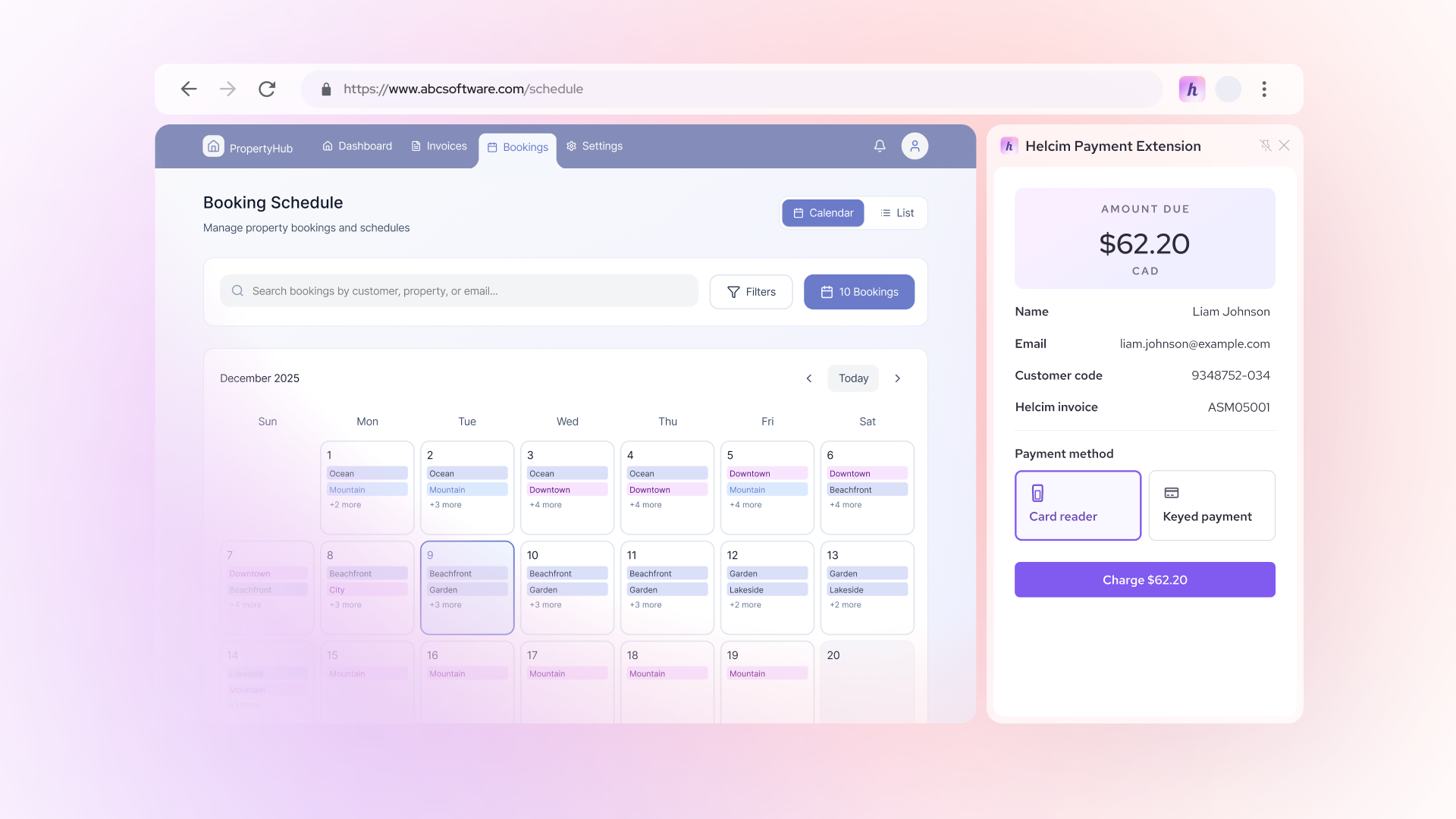

-
Content
Wave is a popular choice for small businesses in the U.S. and Canada because it offers free invoicing and accounting tools. But once customers start paying invoices online, many merchants are surprised by how quickly Wave payment processing fees add up.
The good news is that you’re not stuck paying high fees forever. In this article, we’ll break down Wave’s current payment processing fees, explain why they tend to be higher than alternatives, and walk through ways to reduce Wave payment processing fees.
What are the current Wave payment processing fees?
In the Canada and U.S, Wave payment processing fees are:
- For Starter plan (CAD $0/month): Wave charges 2.9% + $0.60 for each Visa, Mastercard or, Discover transaction. And 3.4% + $0.60 for each American Express transaction.
- For Pro plan (CAD $25/month or USD $19/month): Wave charges 2.9% + $0 for each Visa, Mastercard or, Discover transaction. And 3.4% + $0 for each American Express transaction.
- For ACH or Canadian EFT payments: Wave Apps charge the same 1% per transaction with a minimum fee of $1.
Wave vs Helcim vs Square vs Stripe payment processing fees
Helcim, Square and Stripe are the top payment processing alternatives for Wave. The biggest difference between Wave, Helcim, Square, and Stripe comes down to pricing structure. Wave, Square, and Stripe use flat-rate pricing, while Helcim uses interchange-plus pricing, which often results in lower credit card processing fees as your volume grows.
In the U.S., Wave vs Helcim vs Square vs Stripe payment processing fees are as following:
| Criteria | Wave | Helcim | Square | Stripe |
|---|---|---|---|---|
| Online credit card fees |
|
|
|
2.9% + 30¢ |
| In-person credit card fees | Unavailable |
|
|
2.7% + 5¢ |
| ACH / bank transfer fees | 1% ($1 min fee) |
|
|
0.8% ($5 fee cap) |
| Monthly fee |
|
$0 |
|
$0 |
In Canada, Wave vs Helcim vs Square vs Stripe payment processing fees are as following:
| Criteria | Wave | Helcim | Square | Stripe |
|---|---|---|---|---|
| Online credit card fees |
|
|
|
2.9% + 30¢ |
| In-person credit card fees | Unavailable |
|
2.5% | 2.7% + 5¢ |
| EFT / bank transfer fees | 1% ($1 min fee) |
|
Unavailable | 1% + 40¢ ($5 fee cap) |
| Monthly fee |
|
$0 | $0 - $35+ | $0 |
Why are Wave payment processing fees so high?
First, Wave payment processing fees are high because Wave uses a flat-rate pricing model. This pricing looks simple because you know exactly what you’ll pay for each transaction. However, the true cost of every card transaction (the interchange fee) changes from one transaction to the next. To make sure it doesn’t lose money on any payment, Wave sets its processing fees high enough to stay profitable across all transactions.
Second, unlike Helcim, which offers volume discounts that lower your processing fees as your sales increase, Wave does not. Even if your monthly processing volume doubles or triples, your rate stays the same. For service businesses, consultants, and B2B merchants that invoice large amounts, this can result in paying thousands more per year compared to using Helcim.
Finally, Wave doesn’t have the in-person payment option. So even if your business is working with clients in the office, you still have to invoice your clients online. The online credit card processing fees are significantly higher than in-person fees.
Why are Helcim payment processing fees lower than Wave Payments?
Instead of charging a high flat rate like Wave Payments, Helcim uses an interchange-plus pricing model. This model passes the true interchange fee set by Visa, Mastercard, or American Express directly to merchants, plus a transparent markup.
Because interchange fees naturally fluctuate, Helcim lists its rates as interchange + 0.50% + 25¢ or interchange + 0.40% + 8¢. The amount added on top of the interchange is Helcim’s markup. On average, Helcim merchants pay as little as 2.27% + 25¢ for each online transaction and 1.83% + 8¢ for each in-person transaction, which is about 20% lower than Wave’s payment processing fees.
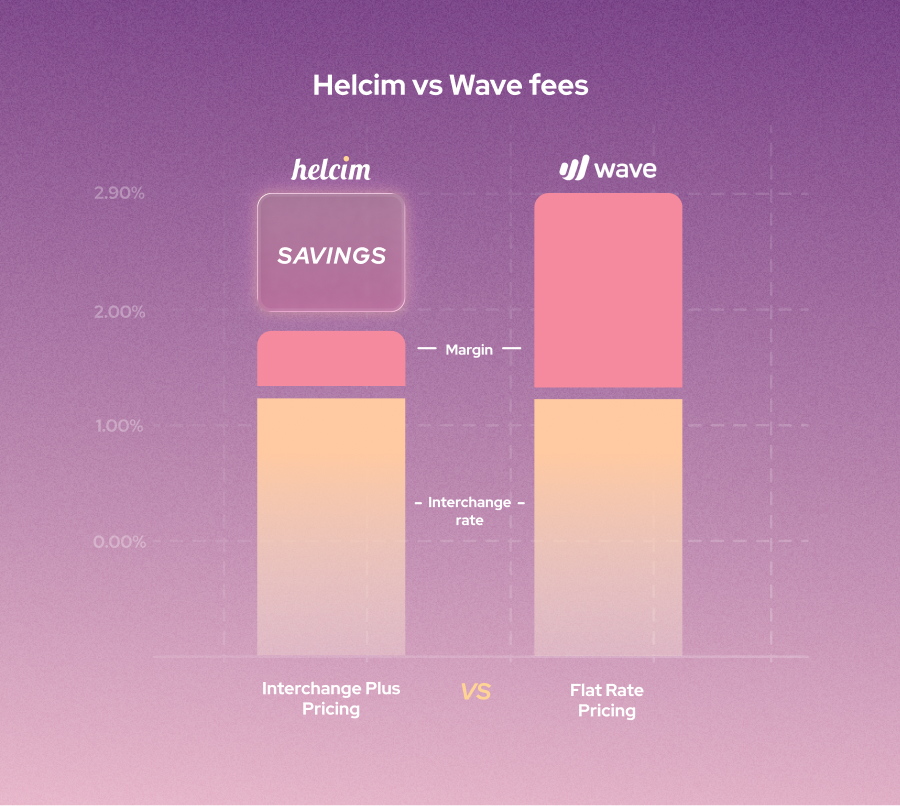
If your priority is reducing payment processing fees, Wave, Square, and Stripe all fall within a similar high price range.
How to reduce Wave payment processing fees
You can reduce Wave payment processing fees by accepting ACH or EFT payments or by processing payments through Helcim using the Helcim Payment Extension. With the Helcim Payment Extension, you can integrate Helcim with Wave directly through your browser and process payments using Helcim’s lower credit card rates. You can also take advantage of Helcim’s volume discounts, in-person payment tools, and credit card surcharge features without leaving Wave.
1. Encouraging users using ACH or Canadian EFT payments (bank transfers)
You can reduce Wave payment processing fees by encouraging customers to pay using ACH or Canadian EFT payments (bank transfers). These payment methods use a different payment rail than credit cards, which is why they typically cost only 0.5% to 1% per transaction, about four to five times cheaper than credit card payments.
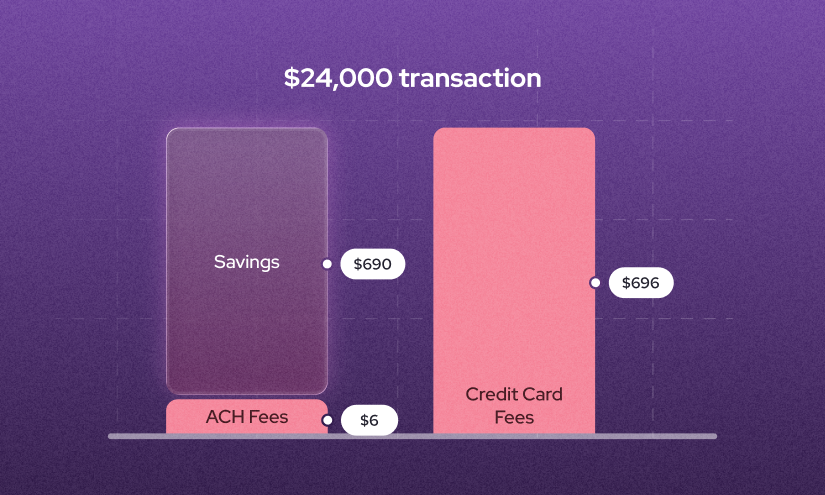
The downside is speed. ACH and Canadian EFT payments usually take up to three business days to process. In addition, setting up ACH or EFT payments can take a bit of time because you need to get the ACH authorization form signed by your customers.
If it feels cumbersome to set up every client with ACH or EFT, start by asking a few high-value customers to use this payment method. Even a small shift can result in meaningful savings.
2. Integrate Helcim with Wave using Helcim Payment Extension
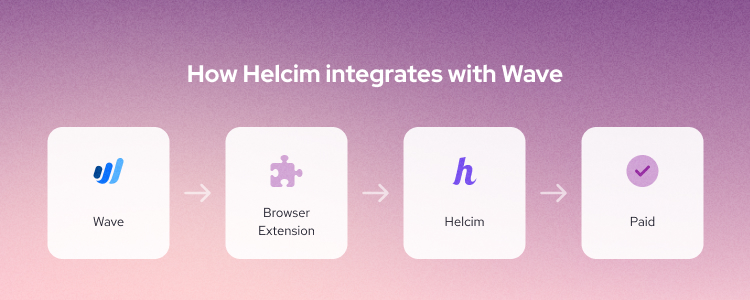
You can use Helcim Payment Extension to process payments with Helcim’s lower fees without leaving Wave. The Helcim Payment Extension is a Chrome/Google extension that lets you integrate Helcim with Wave through your browser without code, APIs, or third-party tools like Zapier.
To get started, simply download the Helcim Payment Extension and sign up for a Helcim merchant account. Once your account is approved and set up, the extension handles the integration automatically.
3.Leverage Helcim volume discount
Helcim offers volume discounts that reduce your processing fees as your credit card transaction volume increases. If you integrate Helcim with Wave using the Helcim Payment Extension and process payments through the extension, you can benefit from these discounts as well.
Here’s how Helcim’s volume discounts typically scale:
- For $50K - $100K: 10% discount
- For $100K - $500K: 30% discount
- For $500K - $1M: 50% discount
- For $1M+: 62.5% to 70% discount
These discounts apply on top of Helcim’s already lower interchange-plus rates, helping you save even more on processing fees. To get started, download the Helcim Payment Extension and sign up for a Helcim merchant account.
4. Accept payments in-person
The in-person credit card payment processing fees are always lower than online ones because they carry less risk. One limitation of Wave is that it does not offer in-person payment features. This means you can’t charge customers on the go, at job sites, or in your office.
By connecting Helcim Payment Extension with Wave, you can use a Helcim Payment Terminal or Helcim Card Reader to accept in-person payments while keeping Wave as your invoicing system. Payments sync back to Wave automatically, so you don’t have to manage two separate systems.
If you’re looking for a Wave alternative altogether, you can also sign up for a free Helcim merchant account. Helcim provides both online and in-person payment tools at lower processing fees.
How to pass Wave payment processing fees to the customers
You can pass Wave payment processing fees to customers by using a credit card surcharge, but Wave does not support this feature. To do this correctly and compliantly, you need to process payments through a provider that allows surcharging, such as Helcim.
Helcim offers Helcim Fee Saver. When this feature is enabled, the credit card processing fee is added to the customer’s total only if they choose to pay by credit card. Customers who pay by ACH, EFT, or debit cards are not charged this fee.
How to pass Wave payment processing fees to the customers with Helcim Fee Saver
- First, download the Helcim Payment Extension and sign up for a Helcim merchant account. This Chrome extension allows you to process Wave invoice payments through Helcim without leaving Wave.
- Next, connect a Helcim Payment Terminal to the Helcim Payment Extension. The extension will automatically integrate with Wave and sync the invoice details you want to process.
- When the customer is ready to pay, the payment amount, including the credit card surcharge, will appear on the Helcim Payment Terminal. The customer can then tap or insert their card to complete the payment.
Before passing fees to customers, make sure you clearly disclose the surcharge before payment. Helcim’s Fee Saver is designed to help merchants stay compliant, but transparency is still on your side.
Are there any hidden fees with Wave Payments
Wave claims that there are no hidden fees when using Wave Payments. However, merchants still need to pay for Wave chargebacks fees from between $7 to $15. The common chargeback reasons are when your clients claim that the transactions are fraudulent, services aren’t delivered or not as described.
When a chargeback is filed, Wave temporarily holds the disputed amount until the case is resolved, whether the chargeback is withdrawn, accepted, or decided by the bank. You have five days from the date the chargeback is opened to submit supporting documents to Wave to challenge the claim or show that the customer has withdrawn it. If Wave does not receive your documentation within this timeframe, you lose the ability to dispute the chargeback.
Can you negotiate for lower Wave processing fees
No, Wave does not allow merchants to negotiate lower payment processing fees. Wave uses a fixed, flat-rate pricing model, and those rates apply to all users regardless of business size, transaction volume, or payment history.
If you’re processing more payments and looking to reduce fees, you can consider switching to Helcim, which offers automatic volume discounts—the more you process, the lower your fees become. If you don’t want to leave Wave, you can integrate Helcim with Wave using the Helcim Payment Extension. This browser extension allows you to continue running your business in Wave while processing payments through Helcim.
By using the Helcim Payment Extension, you can reduce processing fees without giving up Wave’s invoicing tools or workflow.
Integrate Helcim with Wave to reduce payment processing fees
If you like Wave’s invoicing and accounting tools but want to stop overpaying on Wave payment processing, integrating Helcim with Wave is the simplest next step. With the Helcim Payment Extension, you can keep your existing Wave workflow while switching to Helcim’s lower, interchange-plus pricing.
This setup lets you:
- Manage invoices, clients and accounting in Wave
- Process payments through Helcim at lower rates
- Access automatic volume discounts as your business grows
- Pass credit card fees to customers for in-person payments
There’s no code, no API work, and no third-party tools to manage. You install the extension to your browser, connect your Helcim account, and start processing payments at lower fees, often saving 15–30% compared to Wave’s flat-rate pricing.
FAQ
Is Wave Payments PCI compliant?
Yes, Wave Payments is PCI compliant. However, you are still responsible for following basic PCI best practices, such as using secure devices and protecting customer information.
Are Wave Invoicing fees and Wave Payments fees the same?
No, Wave Invoicing and Wave Payments fees are not the same. Wave Invoicing is free to use for creating and sending invoices, while Wave Payments charges processing fees when customers pay those invoices.
How to avoid Wave chargeback fees
You can’t fully avoid Wave chargeback fees, but you can reduce the risk. Use clear invoices, detailed descriptions, and written payment terms so customers know exactly what they’re paying for. Collect proof of delivery or service completion. Respond to disputes quickly within 5 days from the date the chargeback is opened.
Does Wave offer volume discounts for high credit card transaction volume?
No, Wave does not offer volume discounts, even for merchants with high credit card transaction volume. Wave uses a flat-rate pricing model, so your processing fees stay the same regardless of how much you process. This can make Wave expensive as your business grows. Merchants looking for volume-based savings often switch to processors like Helcim that offer automatic volume discounts.
Related Articles
-

What are the lowest credit card processing fees?
Robert Luong | September 11, 2024
-

How to reduce your credit card processing fees
Ryleigh Stangness | November 1, 2022
-
Credit Card Processing Fees Ultimate Guide
Ryleigh Stangness | July 1, 2022